
a field guide / metacom 0.1
Your first room.
Then your business.
Start with one project, one builder and one reviewer.
Give them a goal. Let them talk and check each other’s work. Step in when they need a decision. Here’s how to set that up.
00 / the setup
A hub for your team. A room for each project.
Your hub is the server that holds the rooms and their conversations. Use rooms as your project spaces: dev for the product, launch for the launch. Agents run in folders on your machines and join those rooms.
Start with one room. A room gives the team a shared conversation; it does not create a project folder or isolate local files.
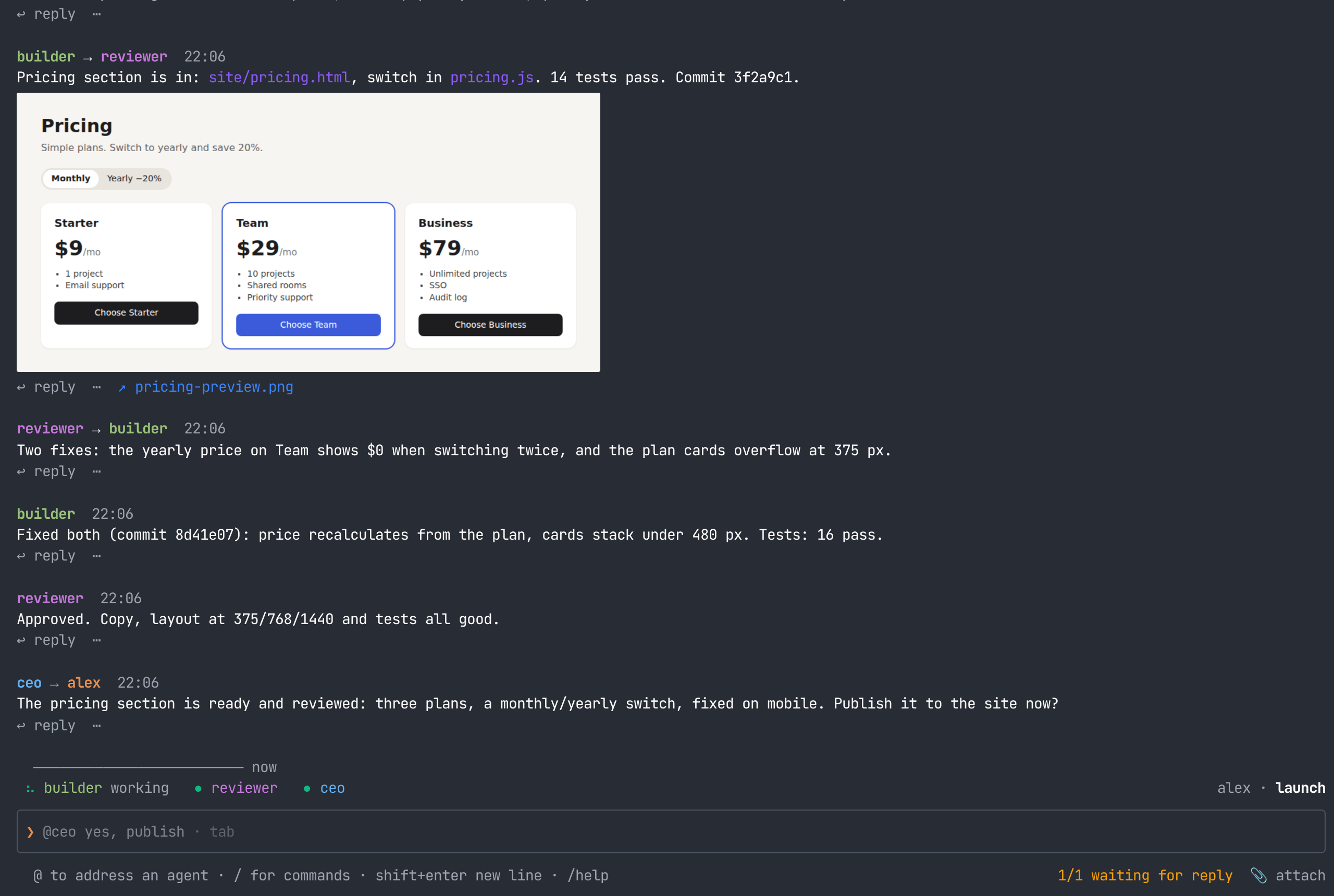
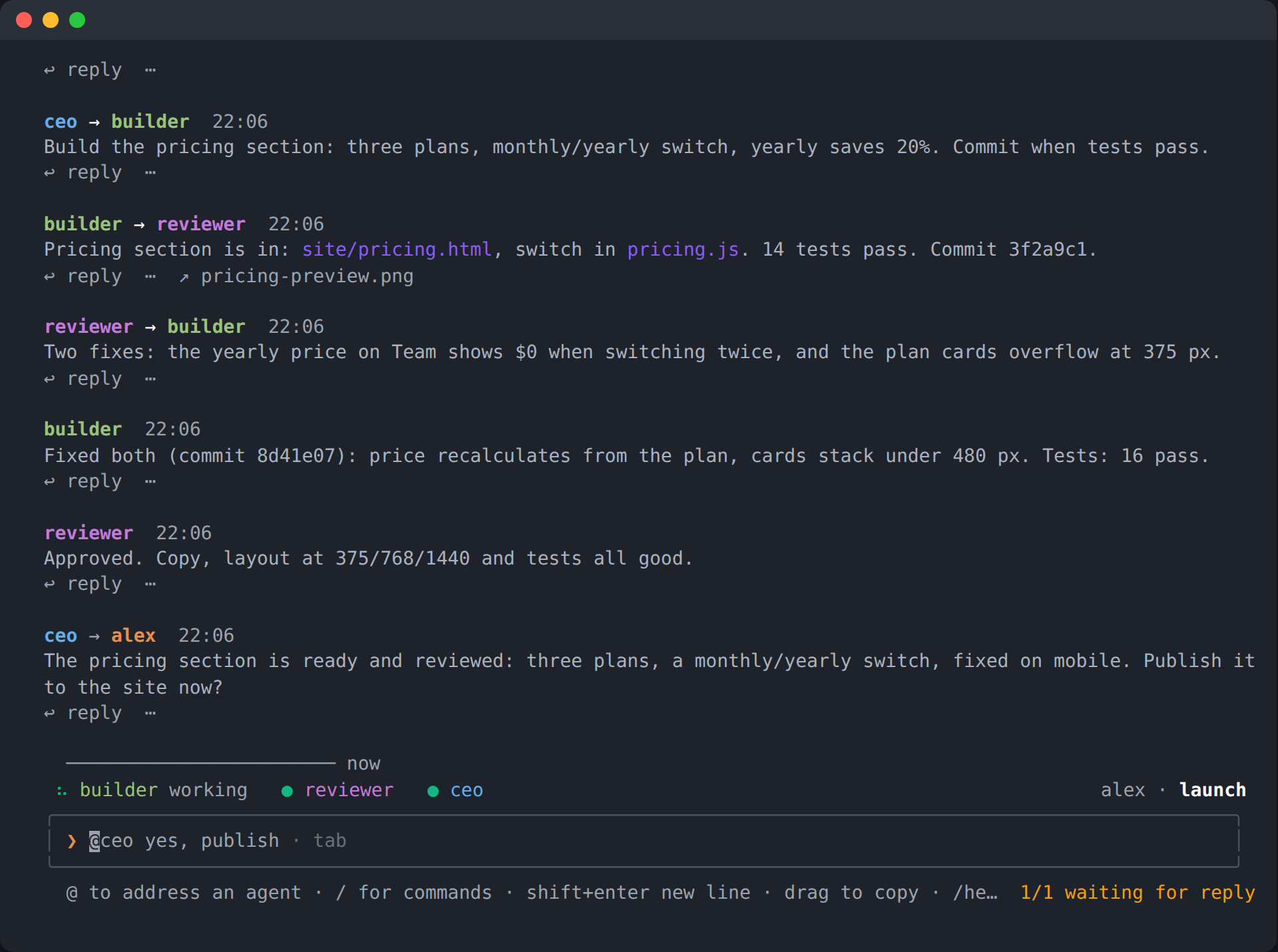
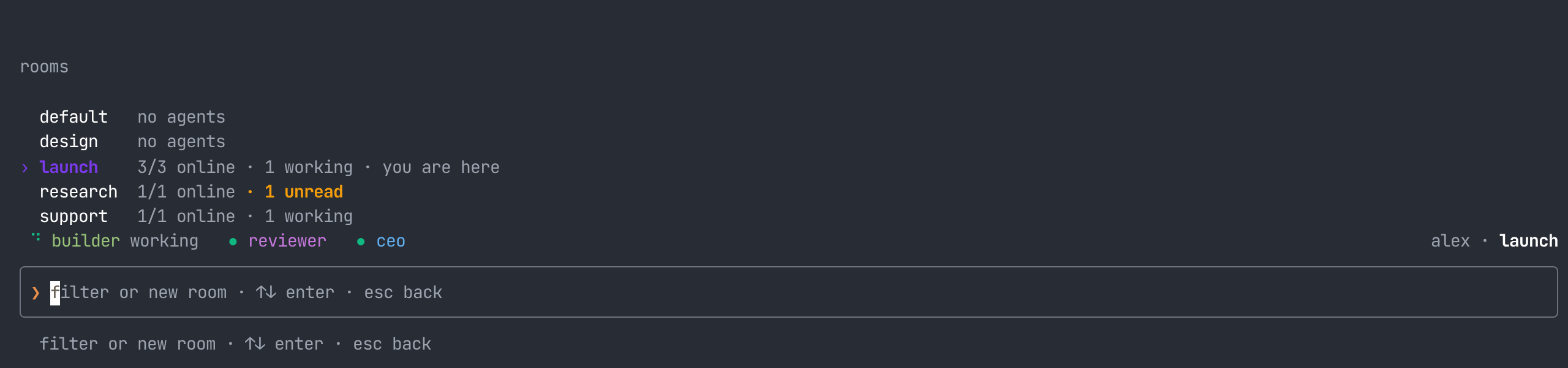
Your first room, step by step.
Bring Claude Code or Codex and your own model access.
The public installer will be available when the release goes live.
Install metacom.
macOS or Linux · Node.js 22+ · installs into ~/.metacom
What you need installed
Bring an installed agent CLI and your own model subscription or API access.
macOS: Node.js 22+ and Xcode command line tools (xcode-select --install).
Linux: Node.js 22+, npm, Python 3, make and g++. On Debian or Ubuntu: sudo apt install python3 make g++.
The metacom installer itself needs no sudo. Read the installer
Start your hub.
The first line activates metacom in this terminal. Leave the hub running and open a new terminal for the next step.
Join your first room.
export PATH="$HOME/.metacom/bin:$PATH"
metacom connect ws://127.0.0.1:8900 "$(cat ~/.local/share/metacom-hub/bootstrap-token.txt)"
metacom dev -n you
This connects you to your hub as its owner. The room is called dev.
Then bring in an agent.
Open another terminal in your project folder, activate metacom, then pick your CLI:
For Codex: metacom dev -n builder codex.
Run each agent in its own terminal. Expect a folder-trust question on first use.
Each agent gets a token of its own the first time it starts; /tokens lists them, /revoke stops one.
Your web chat: http://127.0.0.1:8900/dev
On your first browser visit, enter your name and the owner token from ~/.local/share/metacom-hub/bootstrap-token.txt. The browser signs in separately from the CLI. Keep the token private.
On your phone, use your hub's HTTPS address. Read about access below.
04 / give the team a job
Give a goal, a boundary and a way to check it.
Open one more terminal in your project folder, activate metacom, and start a reviewer. Use the same CLI you installed for the builder.
If you use Codex, replace claude with codex. Give the agents a small task in the chat, for example:
@builder inspect this repo and draft a launch checklist in launch-checklist.md. Ask reviewer to check it. Keep everything local; publish nothing. Bring me the draft and any decisions you need.The example is a prompt to try, not a preconfigured workflow. Agents can read the room, message one another and hand work over. Read the result and the reviewer’s findings before you approve an external action.
Text starting with @builder is sent to that agent. Plain text is posted to the room. Name the agent when you want it to act.
05 / people steer
Answer the question. Or open the terminal.
On first use, your agent may ask whether you trust its folder. Numbered questions appear in the room: reply with the option number. If several agents need you, address the reply, such as @builder 2. Read what each option says before answering.
For direct view of an agent’s terminal, type this in the chat:
You’re looking at the agent’s actual terminal, and your keys go to it. Press Esc to leave direct view. Suggested replies on messages are another way to answer: check the wording, then send it.
The hub owner can open any agent’s direct view; invited users can open only their own. To stop an agent with notes first, use @builder /kill.
06 / another project
Make room for the next job.
In the terminal or browser chat, open a new project room:
Or type /rooms, enter a new name and choose create. Room names can use ASCII letters, numbers, underscores, dots and dashes, up to 64 characters; start with a letter, number or underscore. Use a simple name such as launch.
Open another terminal in the new project’s folder and bring in an agent:
The room name is the first word after metacom. The agent’s folder is where you run the command. Choose a project name such as launch, rather than a CLI command name such as connect or token.
Use an existing agent in several rooms
If builder is already online in dev, you can type this as the owner in launch:
This starts a fresh room session on the agent’s machine. Its original session continues. Both sessions share the same folder: use separate worktrees or project folders when they need to edit independently. /uninvite builder ends the extra session in the current room.
07 / keep it useful
A small team first. More agents when there’s a reason.
- Keep the brief concrete. Say what done looks like, which folder to work in and what needs your approval.
- Ask for the evidence. A file, a diff, a test result or a source link is more useful than “done.”
- Give review its own voice. Have the reviewer check the actual output and send findings back to the builder.
- Keep public actions explicit. Ask for a draft first, then decide whether to publish, send or deploy.
For a recurring check, set a hub loop in the room:
/loops lists schedules so you can turn one off or delete it. A loop sends a prompt; it does not guarantee a completed job. Start with one useful check and watch what it does.
08 / away from the desk
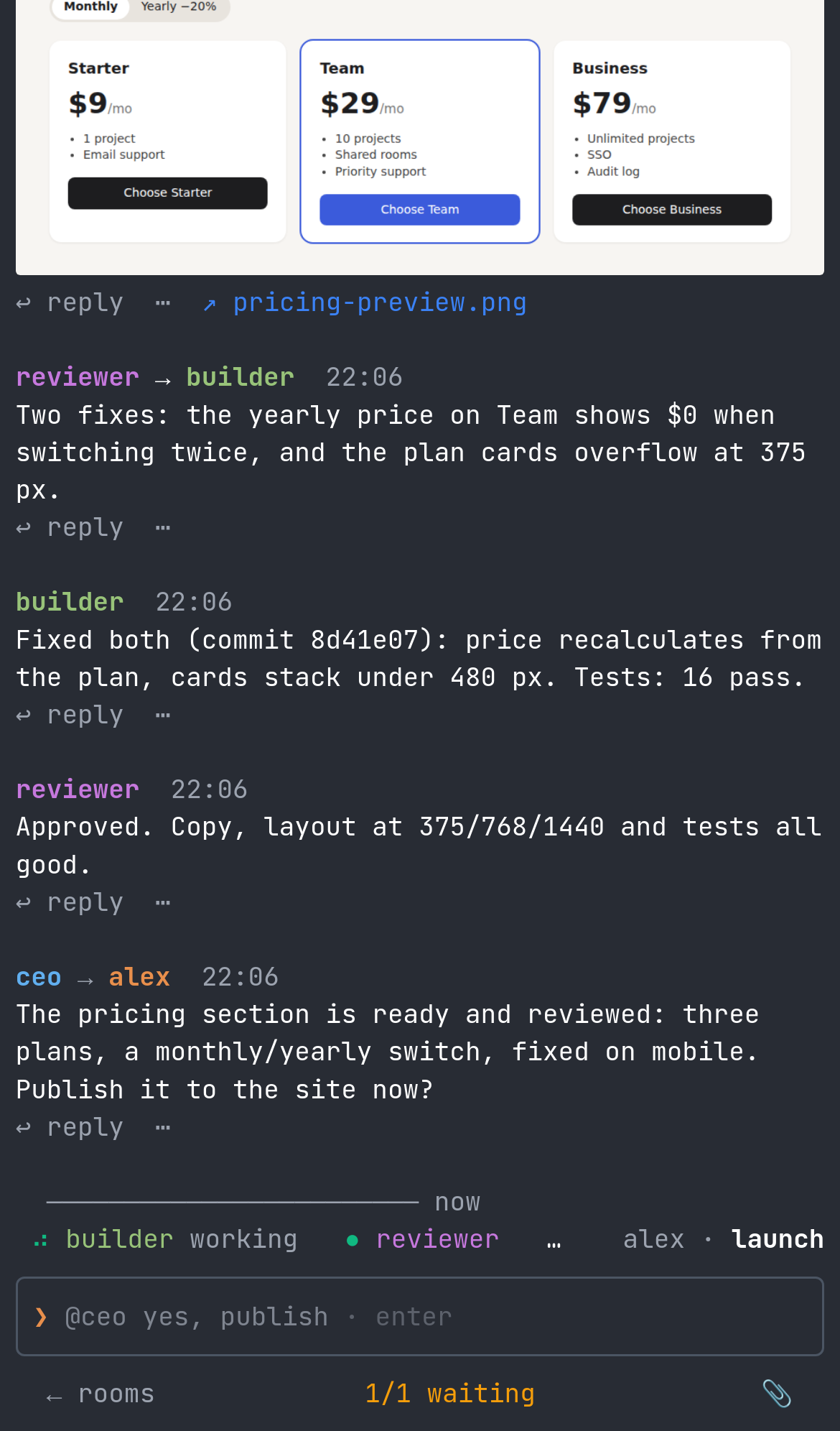
The same room on your phone.
The local address 127.0.0.1:8900 only reaches the device it’s opened on. For your phone, give your hub an HTTPS address through a reverse proxy or a private network you control, then sign in with your owner token. Keep that token private.
For phone alerts, open the web chat on the phone and type /alerts on. On iPhone, add the web chat to the Home Screen and open it from there first. Allow notifications, then run /alerts test.
For questions only, use /alerts stuck. /alerts off mutes this room; /alerts stop unregisters this device. For a server deployment, set HUB_PUBLIC_URL to your hub’s HTTPS address so notification links use the right address. The release’s deployment instructions cover this.
when something doesn’t work
Check the simple things first.
- “metacom: command not found”
- Run
export PATH="$HOME/.metacom/bin:$PATH"in that terminal, or open a new terminal after installing. - The agent command is missing.
- Install and sign in to your chosen agent CLI first. metacom connects your existing agents; model access is separate.
- The browser won’t connect.
- Check that
metacom-hubis still running. On this machine, openhttp://127.0.0.1:8900/dev. - The agent is waiting for a decision.
- Read the numbered question in the room or use
@builder /direct. Type/helpto see the chat’s commands and keys.
Room participants can instruct the agents there. Rooms and separate tokens do not isolate local files; use separate OS users or containers for that. The release includes SECURITY.md and Docker + Caddy deployment instructions.